Meetings anyone can join. Recordings you can use.
Start in the browser and share a link — your guests join from any phone or laptop with nothing to install. KHMeet records and transcribes the meeting, and lets you take remote control to help on a shared screen.
Got a meeting code or link?
Chrome, Edge, Firefox and Safari
Phone, tablet and desktop
Nothing for guests to install
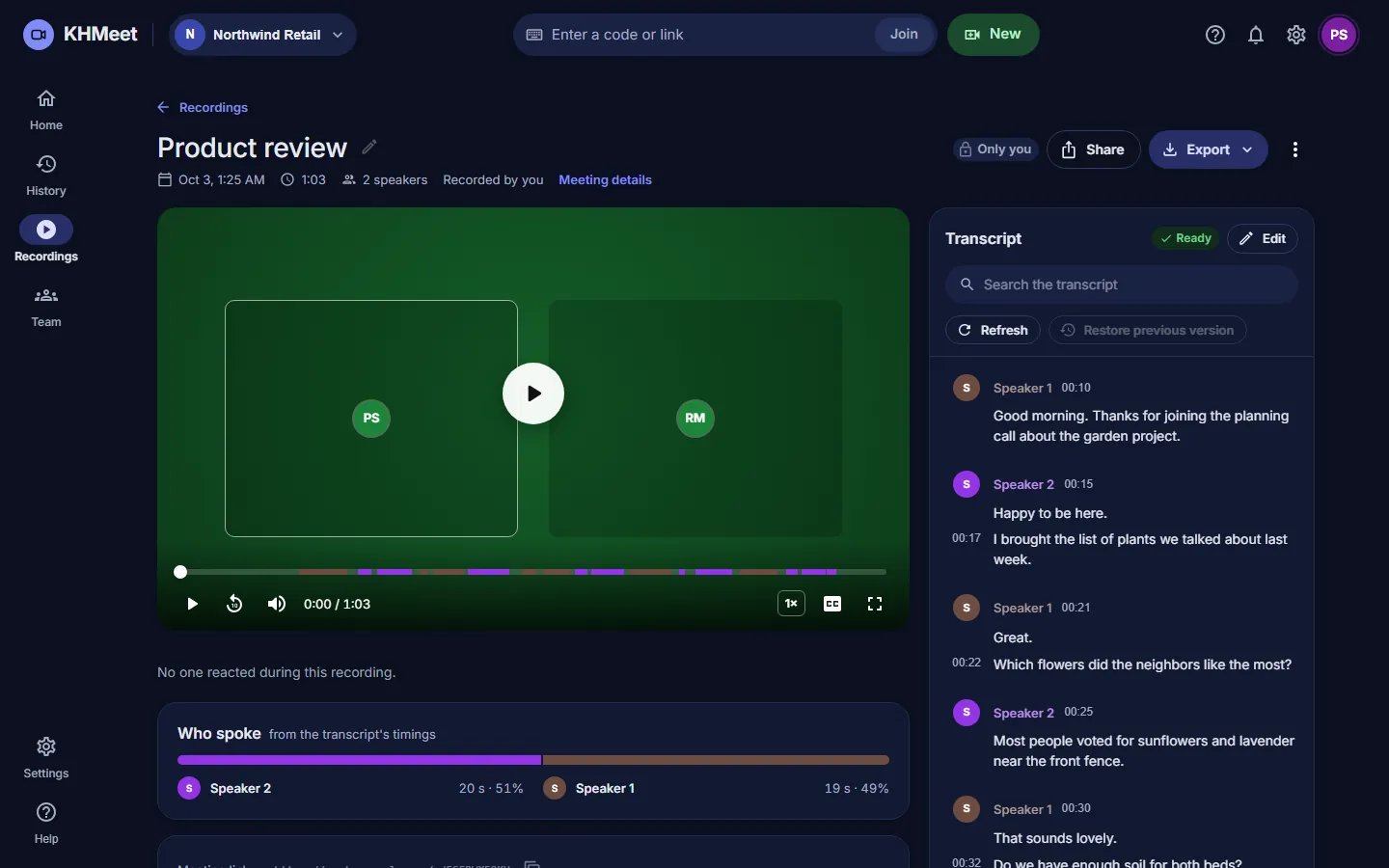
Light and dark, your choice
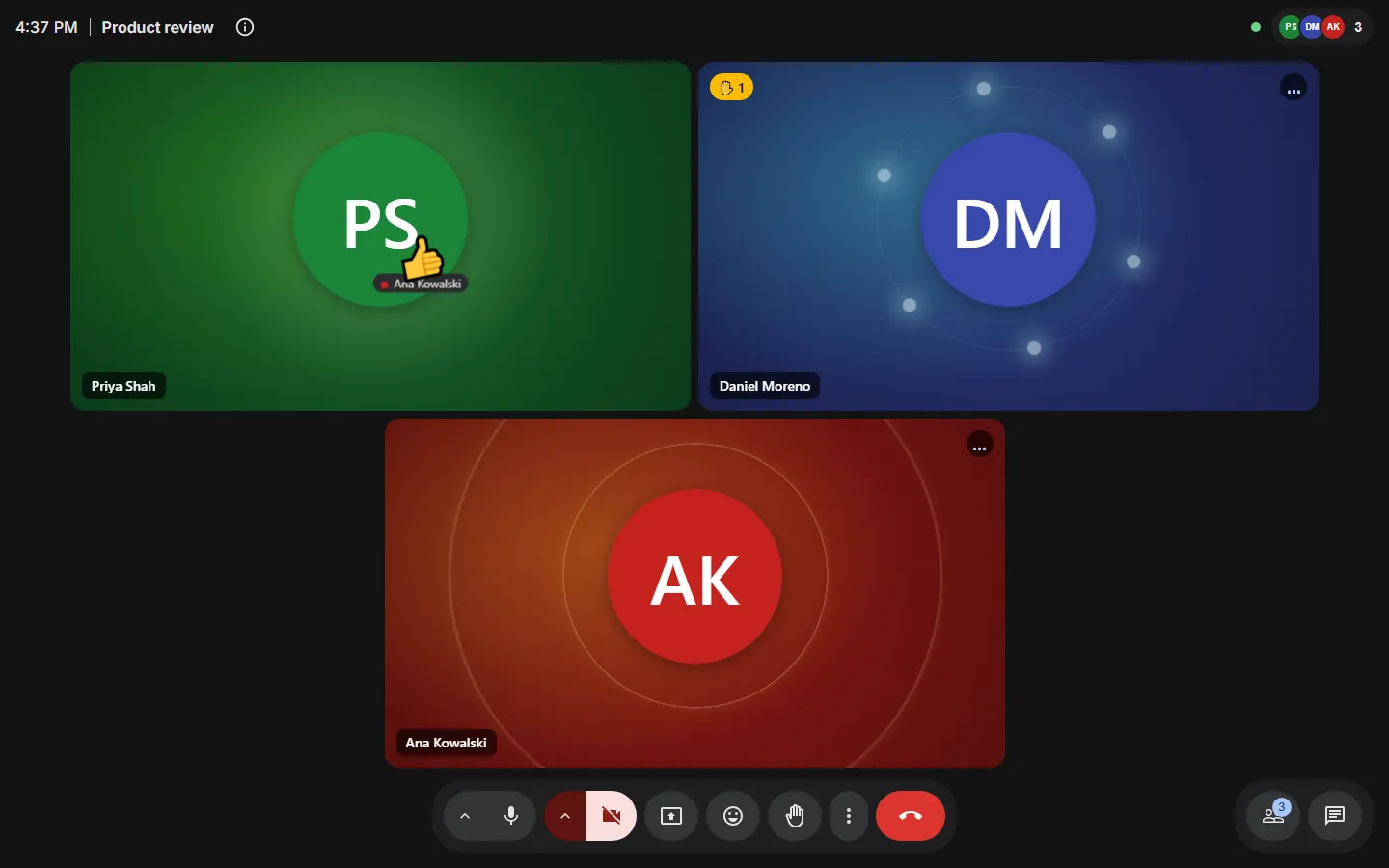
Meetings that feel human — even with the camera off
Most meeting tools show a grey box when a camera is off and a black screen in the recording. KHMeet does neither.
Live avatars
Not on camera today? Appear as an avatar that moves and talks with you. Your face is tracked on your own device; only the avatar is sent. Pick a character, or build one that looks like you.

Camera off, still present
A camera-off tile glows and moves with your voice. Choose a look (particles, a landscape, or a calm tree, lotus or candle) so everyone can see who is talking.
Recordings that look like the meeting
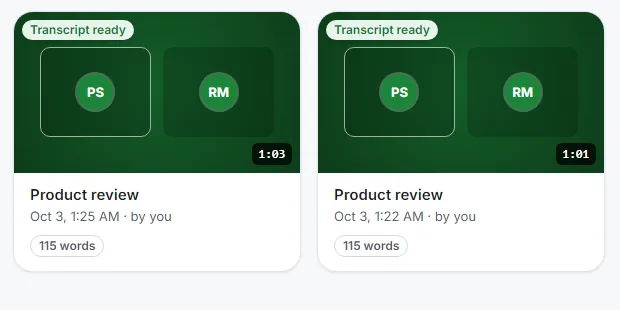
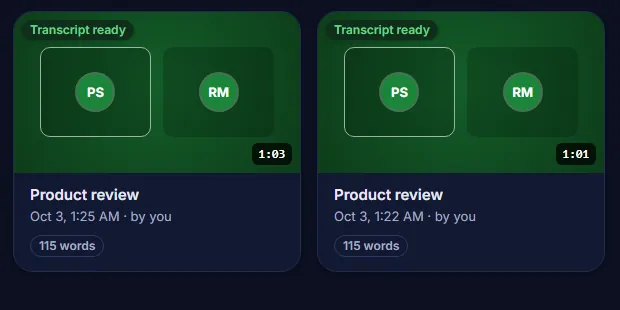
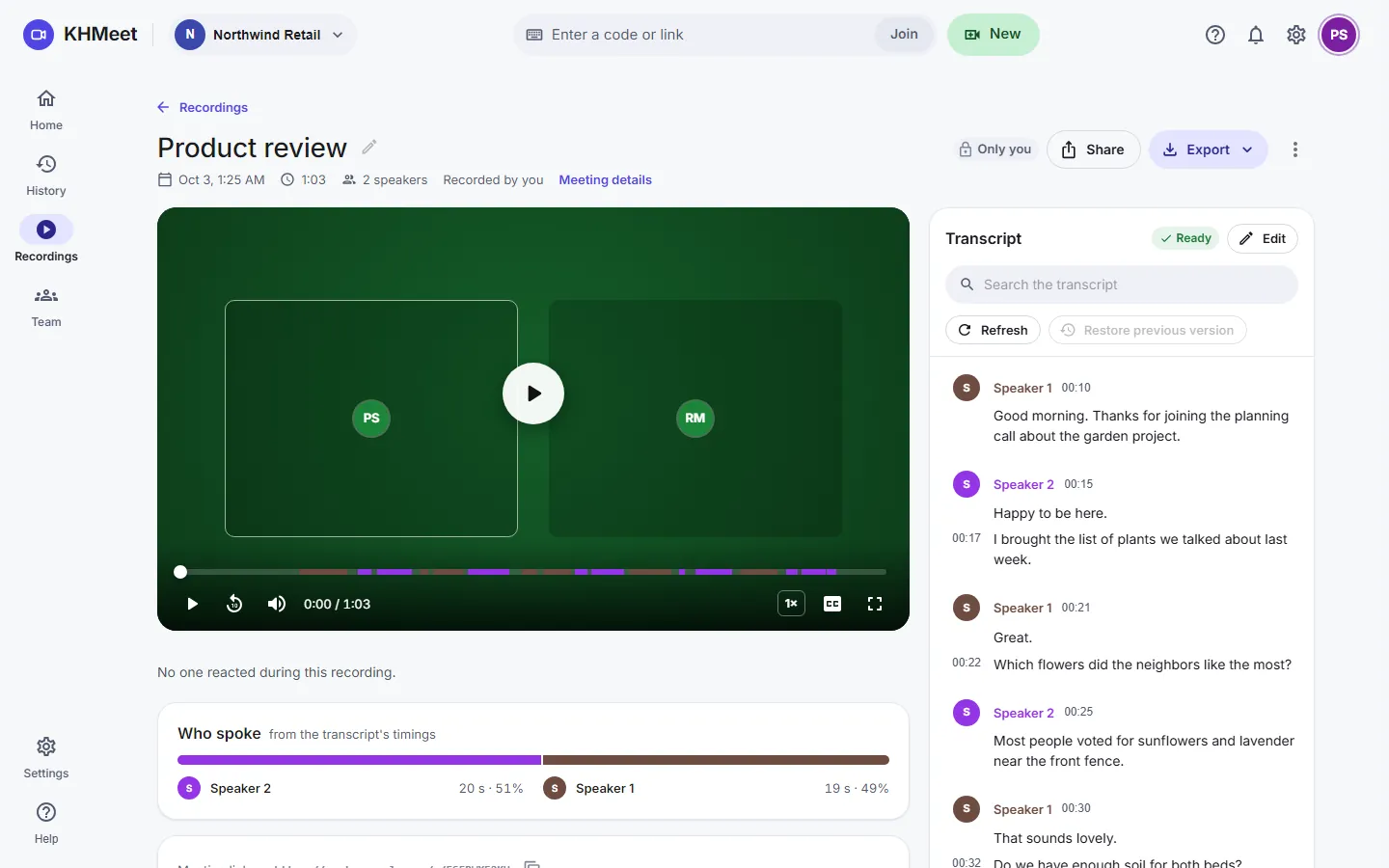
The recording shows the room as you saw it, with names, camera-off looks, raised hands and who is speaking, instead of black frames whenever cameras are off.
Your colour follows you
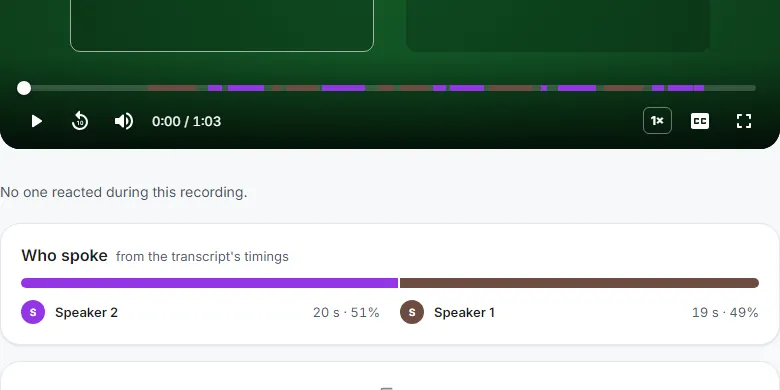
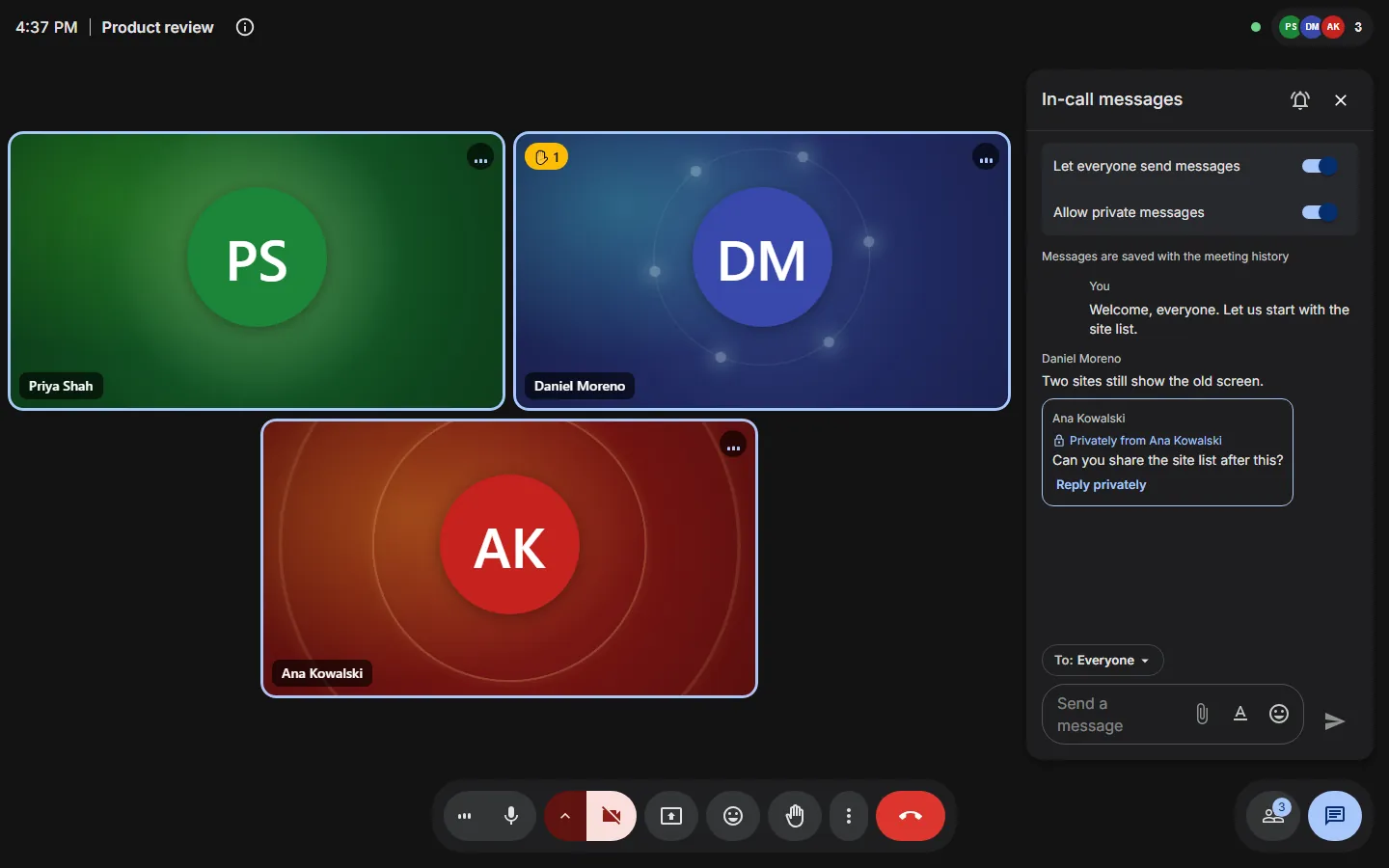
Everyone gets their own colour in a meeting: on their tile, in chat, in the transcript and along the recording. No two people share one.
Remote control, inside the meeting
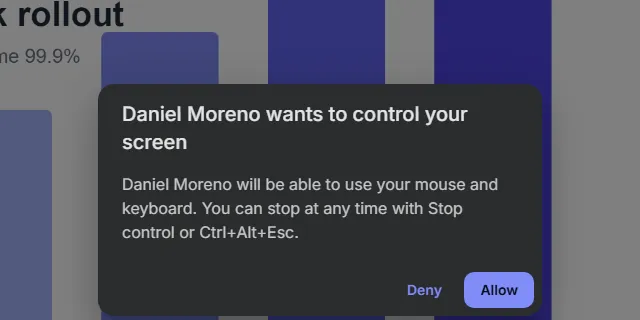
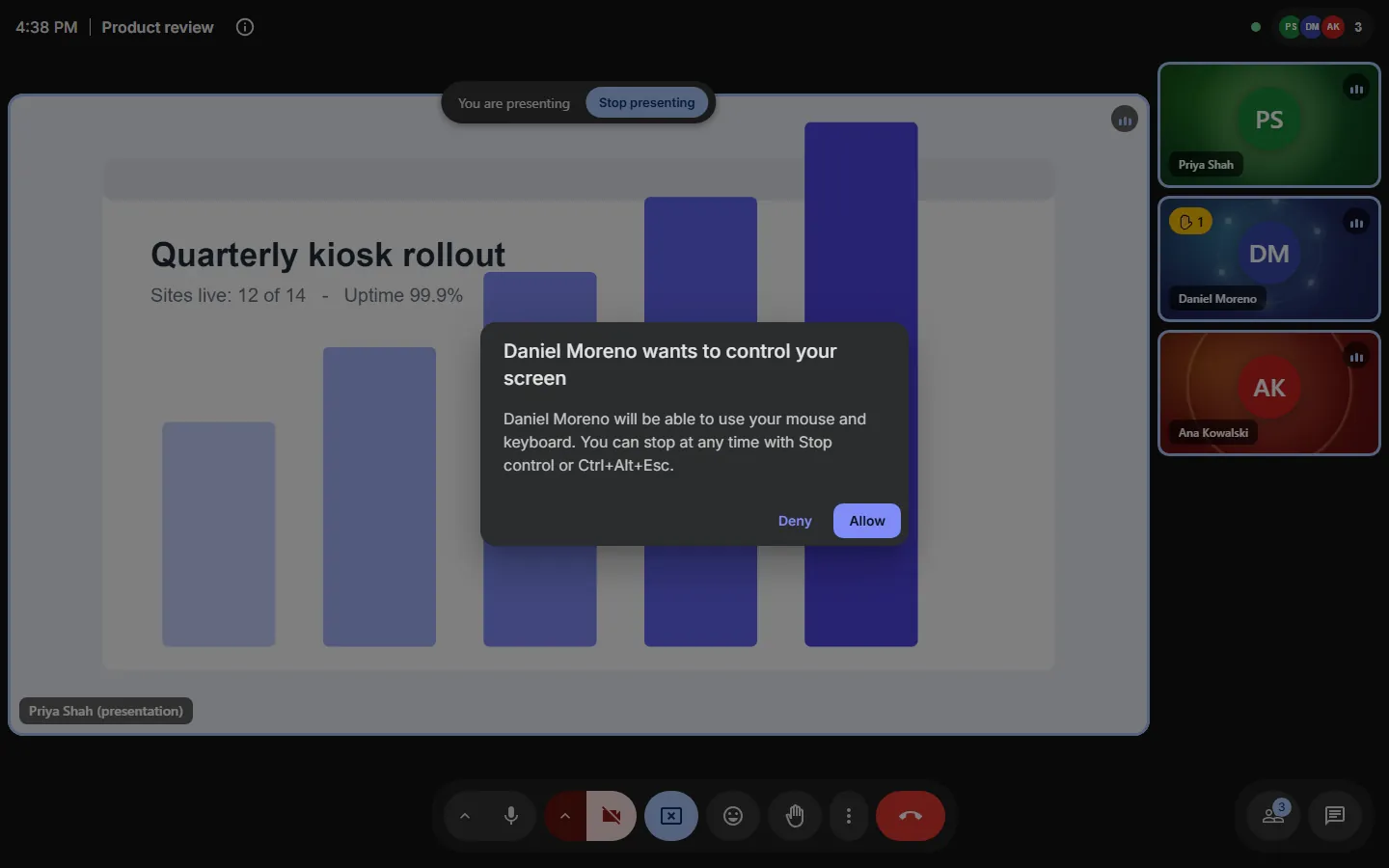
Help a customer or a site on their own screen without leaving the call or opening another tool. They approve it and can stop it at any time.
Private chat, done properly
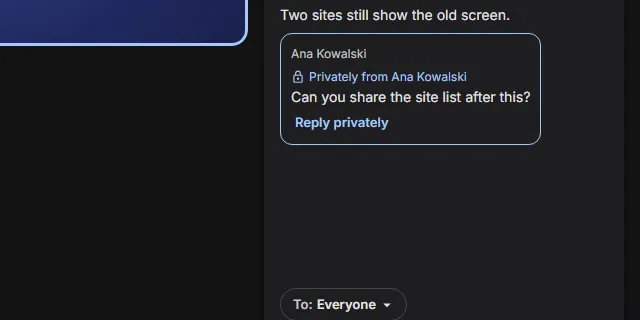
Message one person beside the group chat. Private messages stay private: they never appear in anyone else's chat or history.
Built for teams that meet customers
The parts other meeting tools leave out: the recording you can search, the help you can give on someone else's screen, and a console that keeps it all.
A meeting room that stays out of the way
Guests open the link and they are in. The host decides who enters, and the room keeps everyone in view on a phone as well as a big screen.
- The host admits or denies each person at the door
- Co-hosts, mute everyone and end the meeting for everyone
- Raised hands, reactions with your own emoji, and a nudge when you talk on mute
Recordings you can search, not just watch
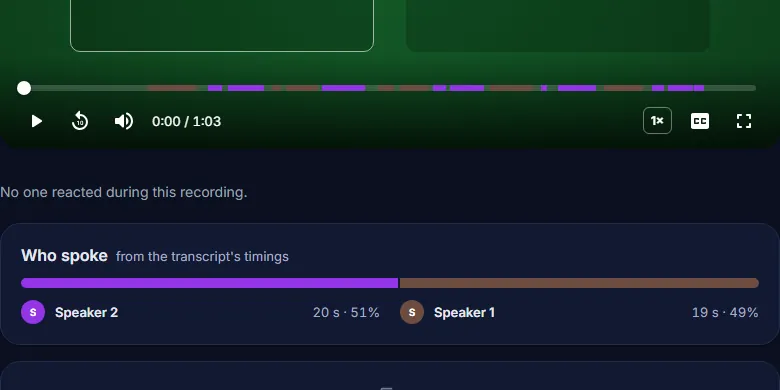
Every recording comes with a transcript that knows who spoke. Click a line to jump there, and see each speaker along the timeline.
- Record automatically, or with one click — everyone is told
- Speaker-coloured timeline, who spoke, and a transcript you can correct
- Export as text or subtitles; share by link with a passcode, or only with chosen people
- Recordings are kept as long as your organisation decides
Help someone on their own screen
When someone shares their screen, you can ask to take control. They approve it, see who is in control, and can stop it with one click.
- Nothing happens until the person sharing says yes
- A clear banner shows who is in control
- Windows today; more platforms to follow
Everything after the meeting, in one place
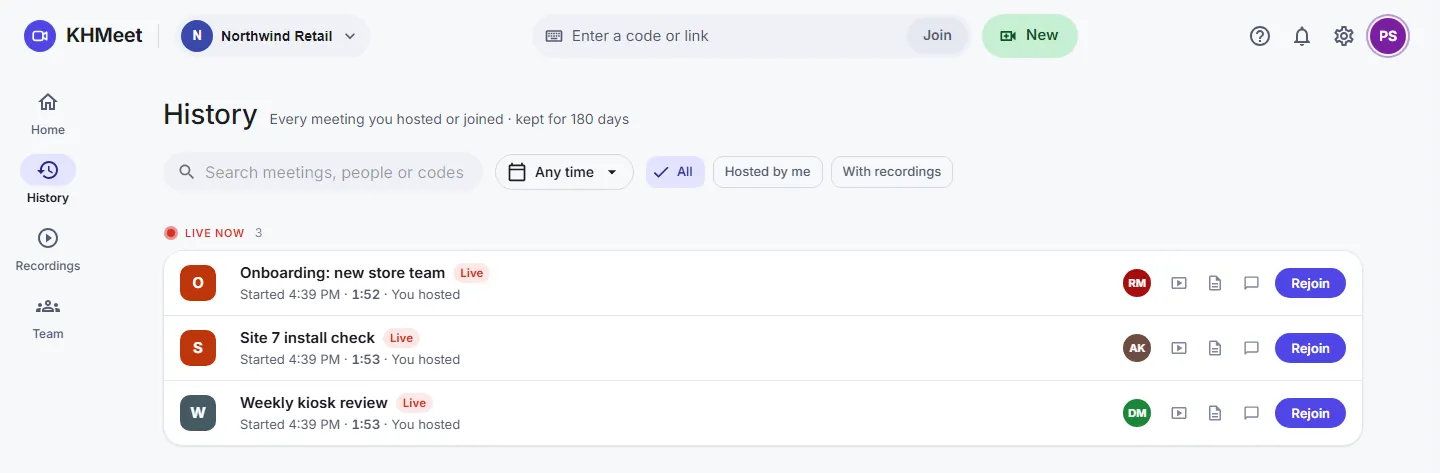
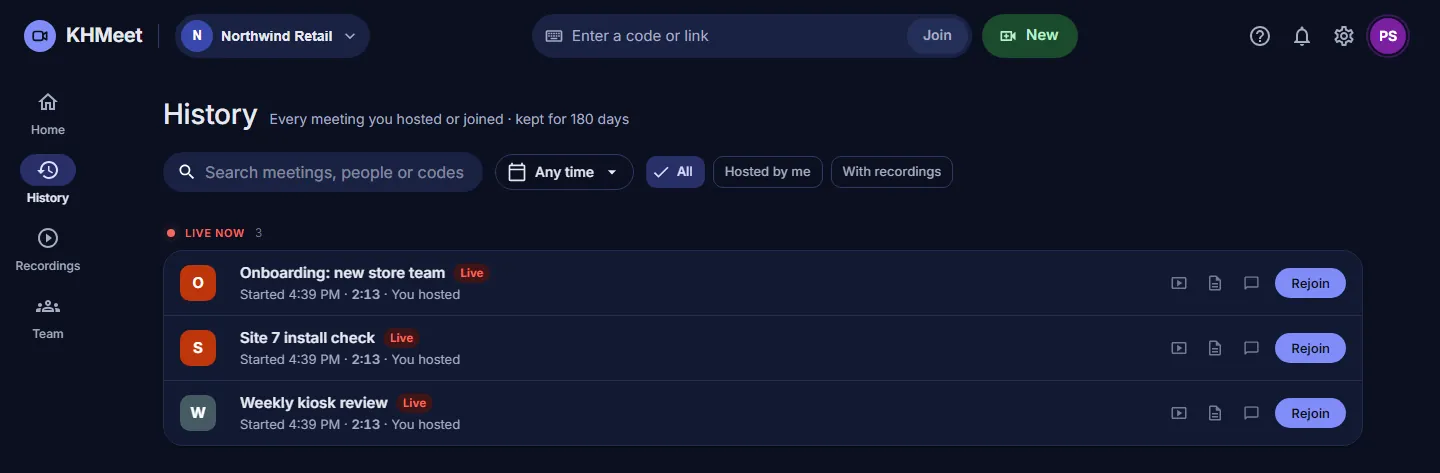
Meeting history, recordings and your team live in one console, on any device, in light or dark.
- Home shows what is live now and your week ahead
- Schedule meetings and invite people; everyone has a personal room
- History with who joined, from where and for how long
- A recordings library, and your team with roles and invitations
And everything you expect from a meeting tool
In the meeting
- Screen share
- Group chat
- Pin people and adjust the view
- Picture-in-picture
- Keyboard shortcuts
- Meeting volume up to 200%
Joining
- Join from a link or code, no account needed
- Waiting room and knock to enter
- A QR code to join from a phone
- Link previews in chat apps
- Camera and mic check before joining
Devices
- New headsets and cameras used as you plug them in
- A warning when a mic or camera stops working
- Your last mic and camera remembered
- Phones, tablets and desktops
After the meeting
- A summary of who came and for how long
- Rate the call quality
- Meeting history and notifications
- Every time shown in your own time zone
Secure and private by default
Encrypted in transit
Audio, video and screen share are encrypted between every browser and the media server.
Two-factor sign-in
Protect accounts with an authenticator app, and remember trusted devices.
You decide who enters
Waiting rooms and host approval keep uninvited people out of the meeting.
Privacy controls
People and organisations choose what location details are shared, and hosts can ask for consent first.
Part of the KioskHut suite
KHMeet works on its own, and alongside KHConnect and KHCloud — one KioskHut account across them.
Bring your team to KHMeet
Set up your organisation, invite your team, and run your next customer meeting in the browser.